Create Marriage Biodata Online – Free
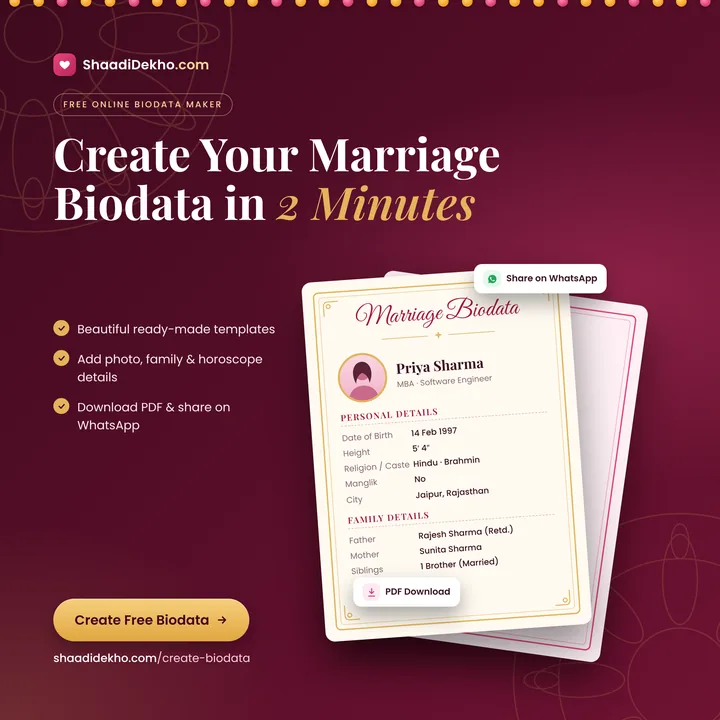
ShaadiDekho.com's free online biodata maker lets you create a beautiful marriage biodata in minutes — no account or sign-up needed. Fill in only the details you want to share, see a live preview, download it as a one-page PDF, or send a private link on WhatsApp. Available in English, हिंदी (Hindi), मराठी (Marathi), ગુજરાતી (Gujarati), বাংলা (Bengali), ਪੰਜਾਬੀ (Punjabi), தமிழ் (Tamil) and తెలుగు (Telugu).
Start creating your biodata — free, no sign-up.
How to create a marriage biodata online
- Choose language and design. Pick the biodata language, one of 6 layouts, a colour and the blessing line at the top (for example ॥ श्री गणेशाय नमः ॥). Add a photo if you like.
- Fill in your details. Personal details with name and occupation, horoscope, education, career, family members, lifestyle and contact details. Every field except the name is optional.
- Check the live preview. Your biodata updates on the right as you type, exactly as it will look on paper.
- Download or share. Download a one-page PDF or a JPG image named after you, or create a private link and share it on WhatsApp, email or any app.
Why use this biodata maker
- 100% free, no sign-up or login
- Live preview while you type
- Download as a one-page PDF or a JPG image for WhatsApp
- Shareable private link for WhatsApp and email
- 8 languages: English, Hindi, Marathi, Gujarati, Bengali, Punjabi, Tamil, Telugu
- 6 page layouts and 3 colours to choose from
- Add photo, education, family members, horoscope (kundali) and contact details
- Traditional designs with blessing line such as ॥ श्री गणेशाय नमः ॥
Biodata formats and samples
- All biodata samples
- Hindi biodata format
- Marathi biodata format
- Gujarati biodata format
- Bengali biodata format
- Punjabi biodata format
- Tamil biodata format
- Telugu biodata format
Biodata questions & answers
What is a marriage biodata?
A marriage biodata is a one-page document that introduces a bride or groom to families looking for a match. It usually covers personal details, education and career, family background, horoscope (kundali) details, lifestyle, partner expectations and contact details, often with a photo.
How do I create a biodata online?
Open the ShaadiDekho.com biodata maker, choose a language and design, fill in the sections you want, and check the live preview. Then download it as a PDF or create a shareable link. It takes about five minutes.
Is this biodata maker really free? Do I need to sign up?
Yes, it is completely free and you do not need an account. Your details stay in your own browser until you choose to create a shareable link.
Can I make my biodata in Hindi, Marathi or other languages?
Yes. Headings and labels can be in English, Hindi, Marathi, Gujarati, Bengali, Punjabi, Tamil or Telugu, and you can type your details in any language.
Can I download my biodata as a PDF?
Yes. Press Download PDF and choose Save as PDF in the print window. The biodata is laid out to fit on one A4 page and the file is named after you, for example Priya-Sharma-Biodata.pdf.
How do I share my biodata on WhatsApp?
Press Generate shareable link. You get a private link that you can copy or send straight to WhatsApp, email or any app on your phone. The person you send it to can open it without logging in.
Who can see my biodata? Is it safe?
Before you create a link, your biodata is saved only on your device. Once you share a link, anyone who has that link can see everything on it, including contact details, so share it only with people you trust. You can update or delete the link at any time from the same device.
What should I include in a marriage biodata?
Include your name, date of birth, height, religion and community, education, occupation and income, family members with their education and occupation, family type and values, horoscope details if your family follows them, a short note about yourself and your partner expectations, and contact details.
Can I edit my biodata after sharing it?
Yes. Open the biodata maker on the same device, make your changes and press Update shared link. The same link then shows the new version.